

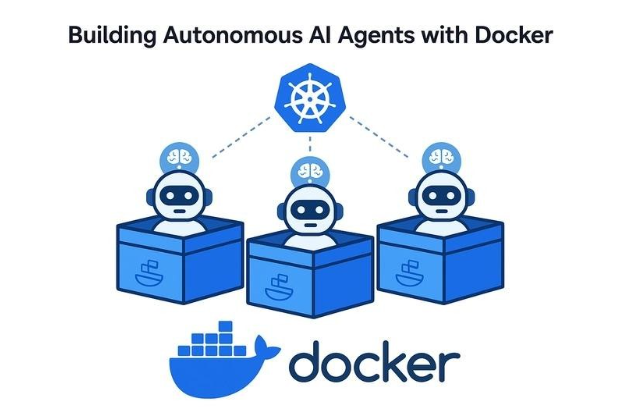
The landscape of AI development is rapidly shifting from cloud-only experiments to powerful local workflows. At the center of this shift lies Docker, a tool synonymous with containers, which is now evolving into a comprehensive platform for building and running AI agents directly on your machine without exposing code to online AI services. This move brings the familiar, reproducible Docker workflow to the world of intelligent applications.
The Practical Workflow: From Local to Cloud
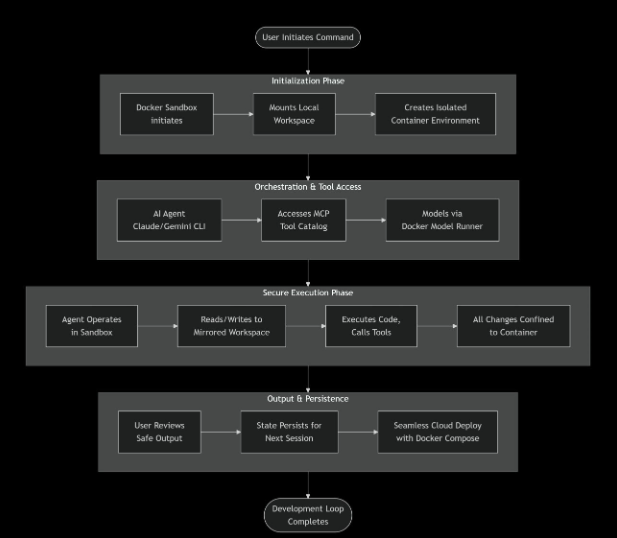
This flowchart illustrates the secure, and end-to-end process when you run an AI agent with Docker’s platform. Here’s what happens at each of the key stages:
- Initialization Phase – The process begins as you execute the command like `docker sandbox run`. Docker will create a secure, and isolated container that will mirror your local project directory. This sandbox is your agent’s entire world – it cannot escape nor affect your main system or the code base.
- Orchestration & Tool Access – Inside the sandbox, your chosen AI agent (such as Claude or Gemini CLI) will boot up. On top of it, the AI agent has controlled access to a powerful suite of tools via Docker’s integration with the Model Context Protocol (MCP) Catalog. It can also interact with GitHub or perform web searches using containerized tools. The agent can safely use these containerized tools. Also, the models served by the Docker Model Runner are available on local APIs, completing the integrated toolkit.
- Secure Execution Phase – This is the place where autonomous work happens. The agent will read your code, write new files to it, run commands given by you, and use the available MCP tools. Every single action is confined inside the walls of the container created. It will modify the mirrored workspace, leaving your host machine’s actual files untouched and safe unless and until specified.
- Output & Next Steps – You review the agent’s work – the code changes, created files, and logs – all generated within the risk-free environment. The sandbox state will persist, which will allow you to start a new session right where you left off. Finally, the entire environment, defined in a compose.yaml file, is portable. You can deploy the identical setup to the cloud, closing the loop from local experimentation to production deployment.
This flow will transform the developer’s role into a strategic supervisor, providing a safe and tool-rich playground for AI agents and enabling a professional, and reproducible workflow for building agentic applications.